
Screenshots
App details
- Updated
- Oct 30, 2015
- Language
- Spanish 11 moreLanguagesSpanishEnglishPo...
- Developer
- aSc Applied Software
- Category
- Mobile
SoftPas in:
This product is also available in the following languages:
About aSc TimeTables
Download aSc TimeTables – school timetable, schedule generator, class scheduling, teacher scheduling, timetabling software
Overview
Key Features & Functionality
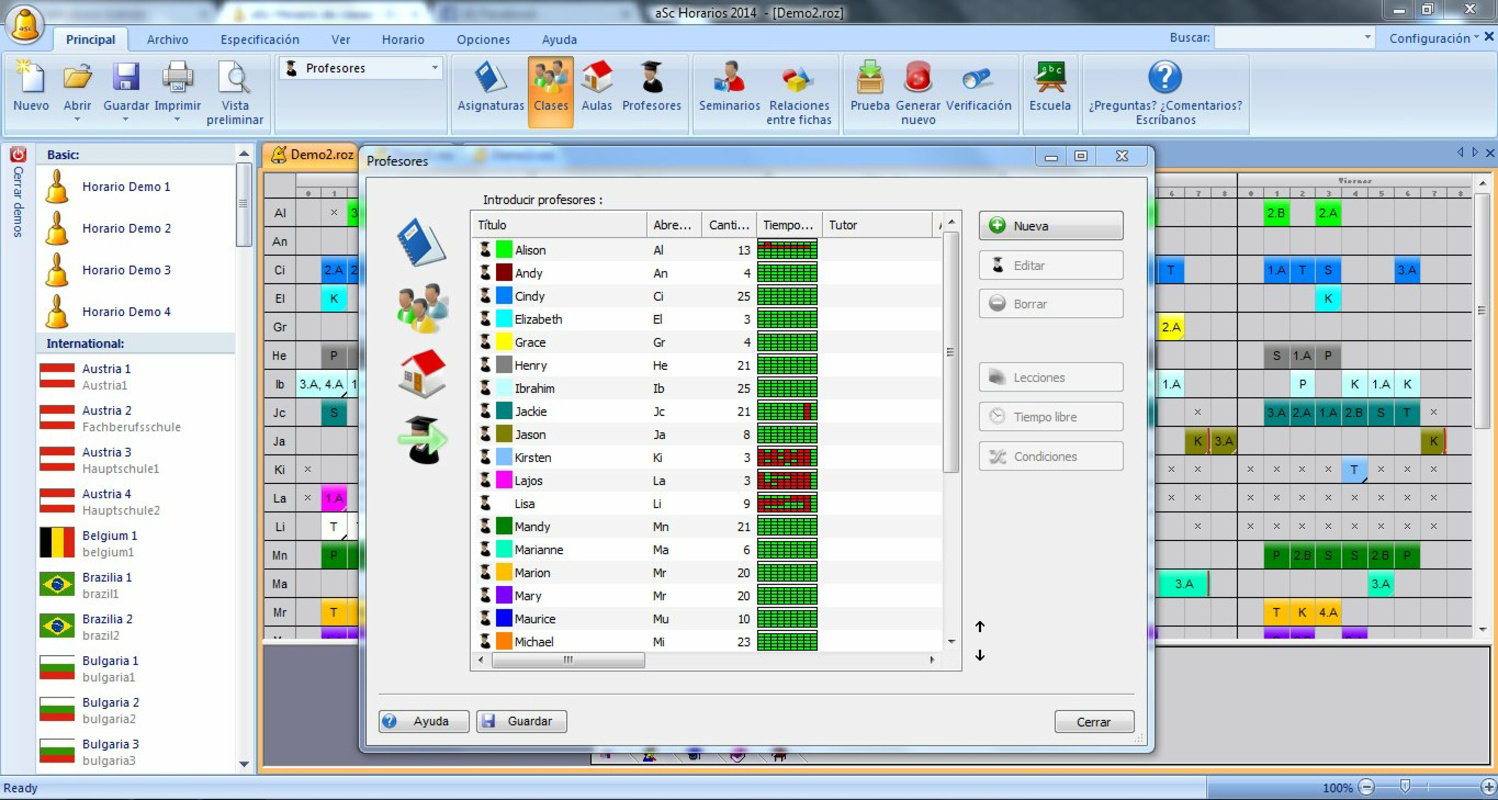
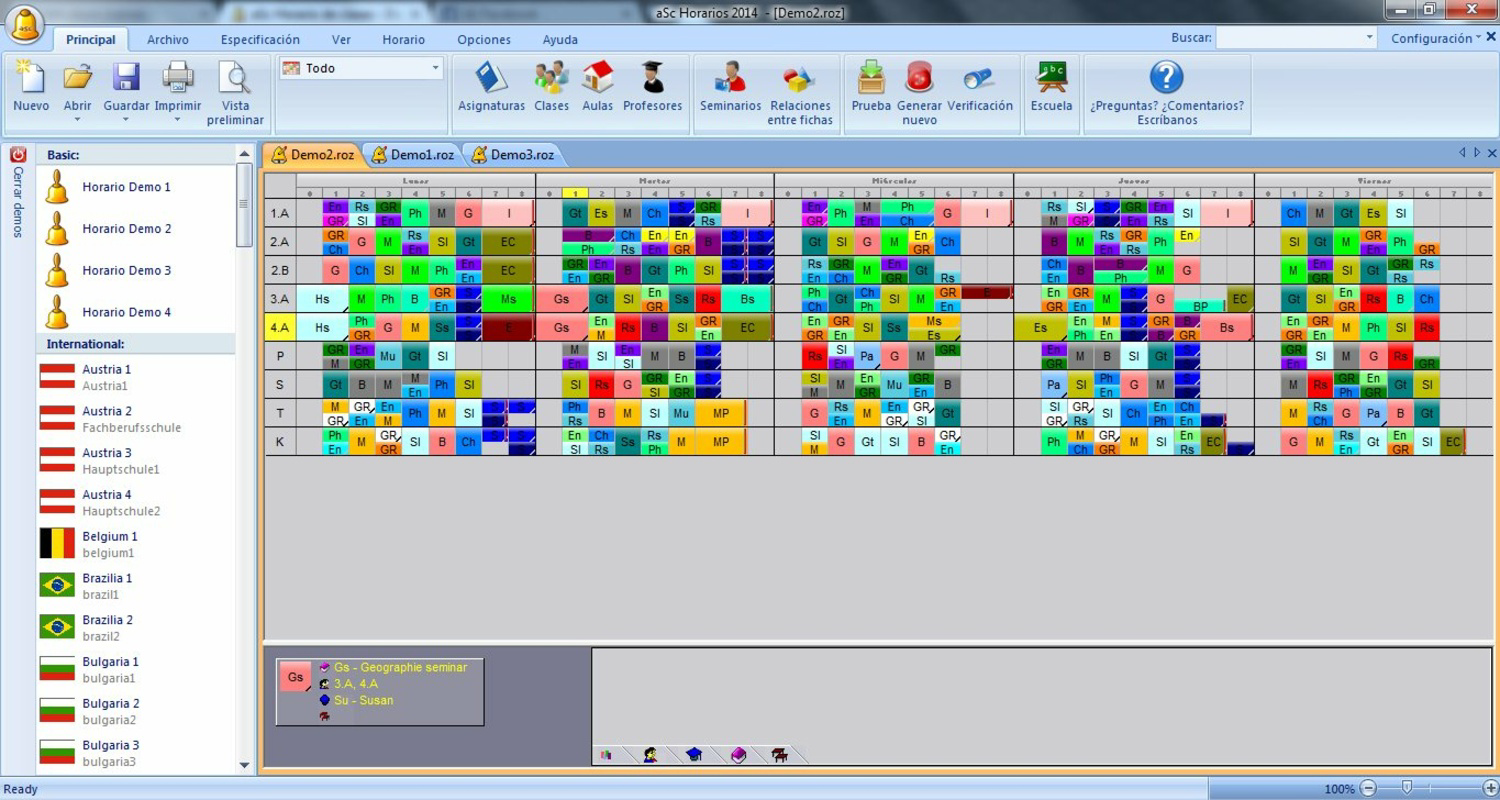
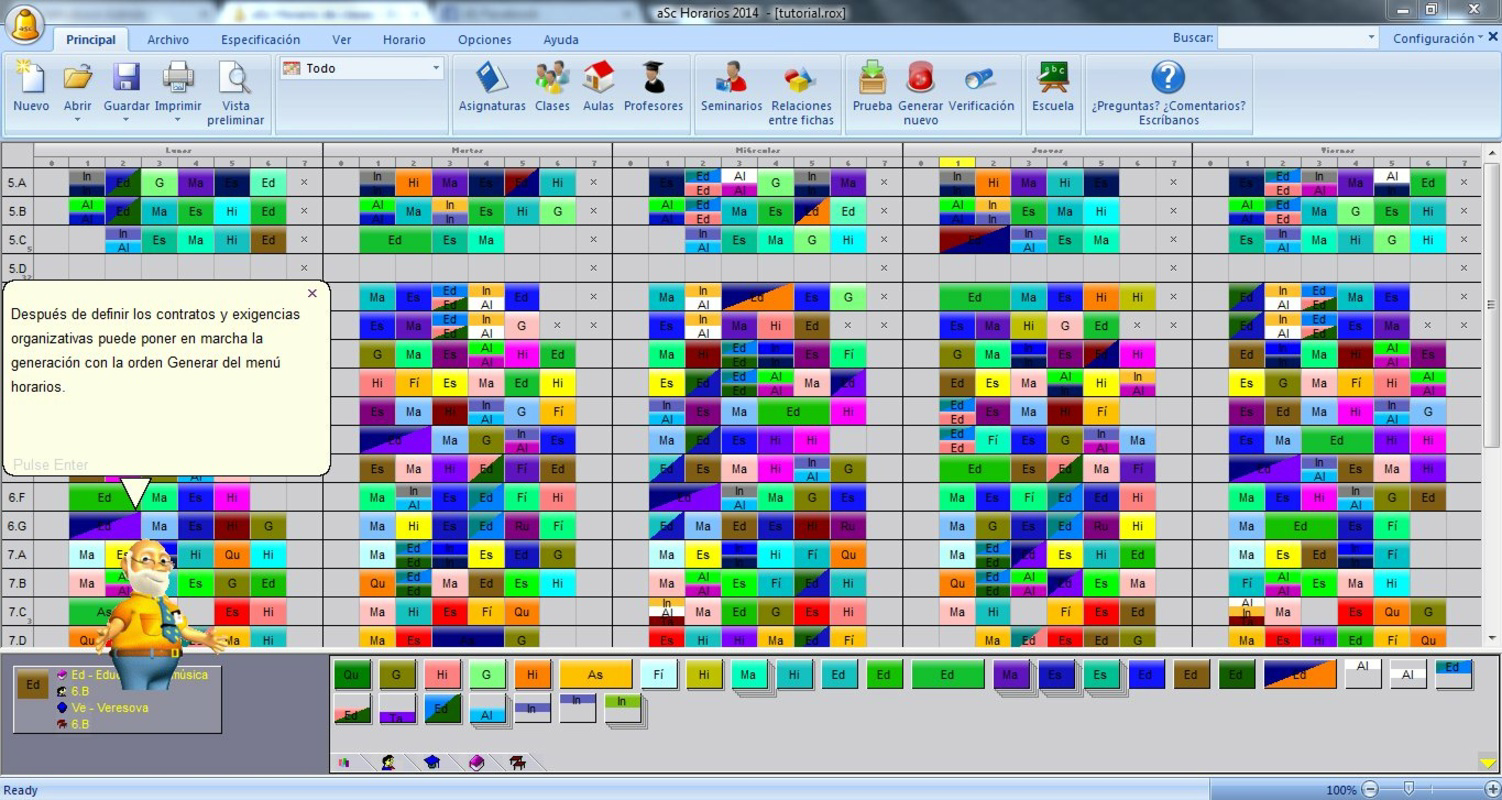
- Efficient Schedule Creation: The software enables users to input class and teacher data quickly, applying constraints such as weekly hour limits and availability windows. This ensures schedules are created within compliance parameters from the outset.
- Individual Configuration and Alerts: Users can define specific preferences for classes and teachers. The system provides real-time alerts when a conflict arises, such as assigning a teacher to a class during an unavailable time slot.
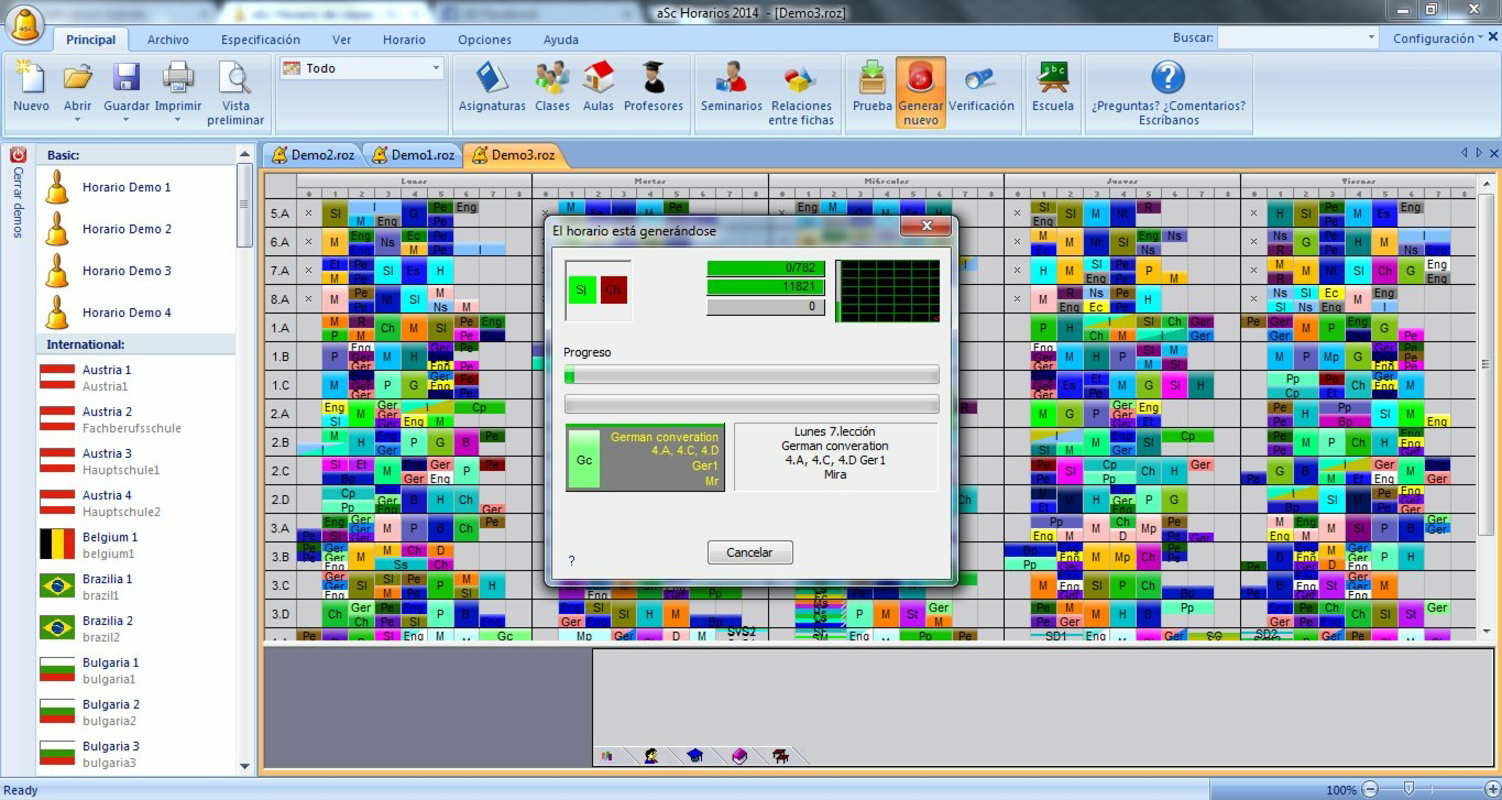
- Automatic Schedule Generation: After data entry, aSc TimeTables generates a complete timetable in minutes. It intelligently distributes lessons across the week, assigns classrooms, and handles both full and divided sessions.
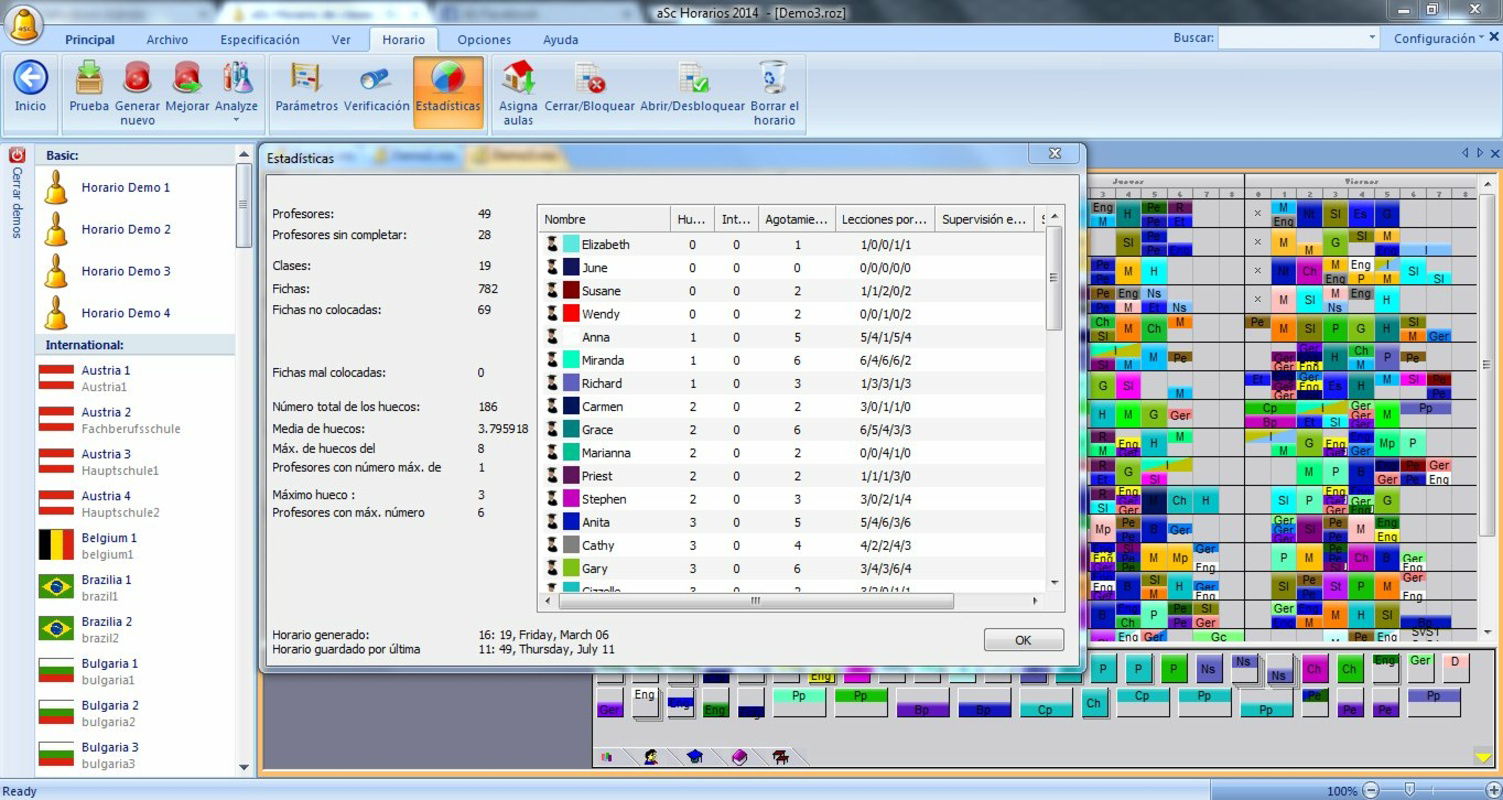
- Schedule Verification and Error Prevention: The software includes a built-in verification engine that checks for inconsistencies. It flags potential errors during or after the generation process, helping users maintain accuracy.
- aSc Substitutions Integration: This feature supports the management of substitute teachers and absence tracking. It enables the creation of monthly and annual absence reports, streamlining administrative tasks related to staffing gaps.
Interface, UX & Performance
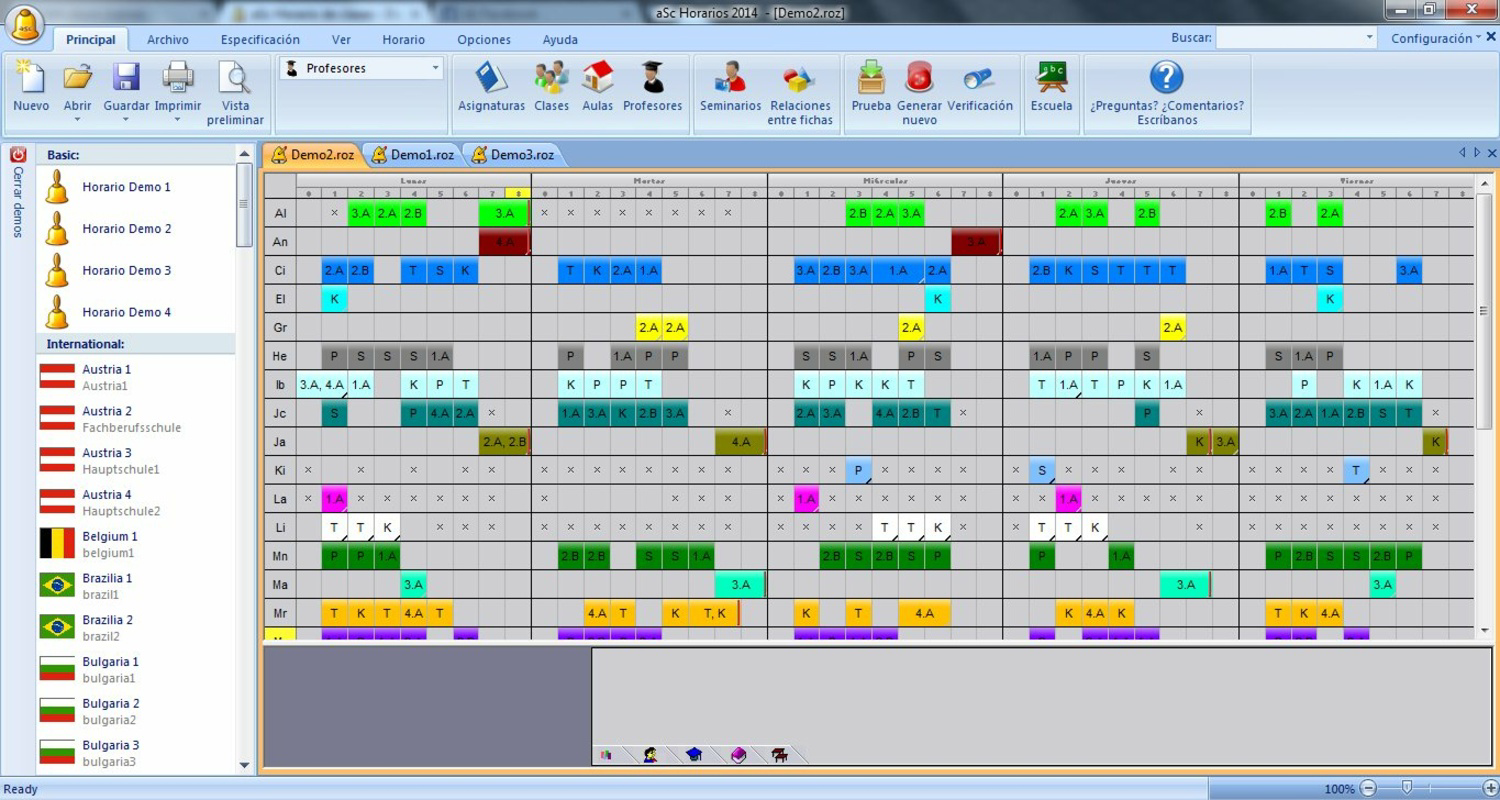
The user interface of aSc TimeTables is designed with functionality in mind, prioritizing clarity and workflow efficiency over visual flair. The layout organizes data into logical sections—teacher profiles, class schedules, classroom assignments, and availability settings—allowing users to navigate between components with minimal friction. Navigation is consistent across modules, with contextual menus and clear labeling to support both new and experienced users. Although the developer did not list formal performance metrics, the software is reported to generate full timetables in a matter of minutes, indicating efficient processing. The application appears responsive during data input and schedule generation phases, with no noticeable lag under typical usage conditions. Stability is maintained across sessions, and the software handles large datasets without crashing, which is critical for institutions with hundreds of classes and teachers. Performance on different device categories was not disclosed. However, given its Windows-only deployment, the application is expected to function optimally on standard desktop and laptop systems. The absence of mobile or cloud-based access suggests a desktop-first experience, which may limit flexibility for remote or on-the-go use. Overall, the UX is focused on precision and reliability, making it suitable for professional environments where accuracy and consistency are paramount.Platform Compatibility & Technical Requirements
aSc TimeTables is available exclusively for the Windows platform. The current version is 2024.1.1, with a file size of 48.4 MB. The developer did not specify minimum OS requirements, nor were any hardware or processor specifications provided. Compatibility information was not fully disclosed, so users should verify system compatibility before installation. Given the file size, the software is relatively lightweight for a scheduling application, suggesting efficient code optimization. However, without formal system requirements, users are advised to ensure their Windows environment meets general application stability standards. The software does not appear to be available on mobile platforms or for macOS, limiting access to Windows-based systems.Pros and Cons
- Streamlines complex timetable creation with automated generation
- Supports teacher and class-specific constraints and alerts
- Includes error-checking mechanisms to prevent scheduling conflicts
- Offers integration with substitution management tools
- Designed for high accuracy and reliability in educational environments
- Available only on Windows, limiting cross-platform access
- Price point of $149.00 may be prohibitive for small institutions
- No mobile or web-based interface for remote access
- Technical requirements were not specified
- Not suitable for users without prior scheduling experience
FAQ
Is aSc TimeTables available for Android or iOS?
The software is currently only available for Windows. There is no mobile version for Android or iOS.Can I update aSc TimeTables to the latest version?
Yes, updates are available through the official developer channel. Users should check the developer’s website for the latest release.Is the software secure to install and use?
The application is distributed by the official developer and does not contain known malware. Users should download only from verified sources to ensure security.What are the system requirements for aSc TimeTables?
The developer did not specify minimum OS or hardware requirements. Users should ensure their Windows system is stable and up to date.Does aSc TimeTables support cloud storage or remote access?
No cloud or remote access features are currently available. The software operates locally on the user’s Windows device.Final Thoughts
aSc TimeTables stands out as a specialized, high-efficiency solution for educational institutions grappling with complex scheduling demands. Its ability to automate timetable generation while enforcing constraints and verifying accuracy makes it a valuable asset for administrators and academic planners. While its desktop-only availability and premium pricing may limit accessibility for smaller schools, its robust feature set justifies the investment for larger institutions seeking precision and reliability. The integration with substitution management further enhances its utility, turning it into a comprehensive administrative tool. For schools that rely on consistent, conflict-free scheduling, aSc TimeTables delivers tangible operational benefits. Its focus on error prevention and real-time alerts ensures that decisions are data-driven and compliant. Download aSc TimeTables nowGuides & Tutorials
How to install aSc TimeTables
- Click the Download button above.
- Once redirected, accept the terms and click Install.
- Wait for the aSc TimeTables download to finish on your device.
How to use aSc TimeTables
This software is primarily used for its core features described above. Open the app after installation to explore its capabilities.
User Reviews
No reviews yet. Be the first to share your experience.
You may also like
more
Que no te pillen¡
About !Que no te pillen¡Reviewed by Jason A. BilbreyShow MoreShow Less

3D Combat Zone
About 3D Combat ZoneOriginally released in 1983, 3D Combat Zone immerses players...

666: El día del portal
About 666: El día del portalOn June 6, 2006, Agent P. Stone uncovers a sinister...

80 in 1 Best Flash games
About 80 in 1 Best Flash games 80 in 1 Best Flash games is a collection of 80 fl...

ABYSS SEEKERーーWhat Do You See Deep in The Abyss
About ABYSS SEEKERーーWhat Do You See Deep in The AbyssIn ABYSS SEEKER, players...

ACA NEOGEO THE KING OF FIGHTERS 2002 for Windows
About ACA NEOGEO THE KING OF FIGHTERS 2002 for WindowsTHE KING OF FIGHTERS 2002,...